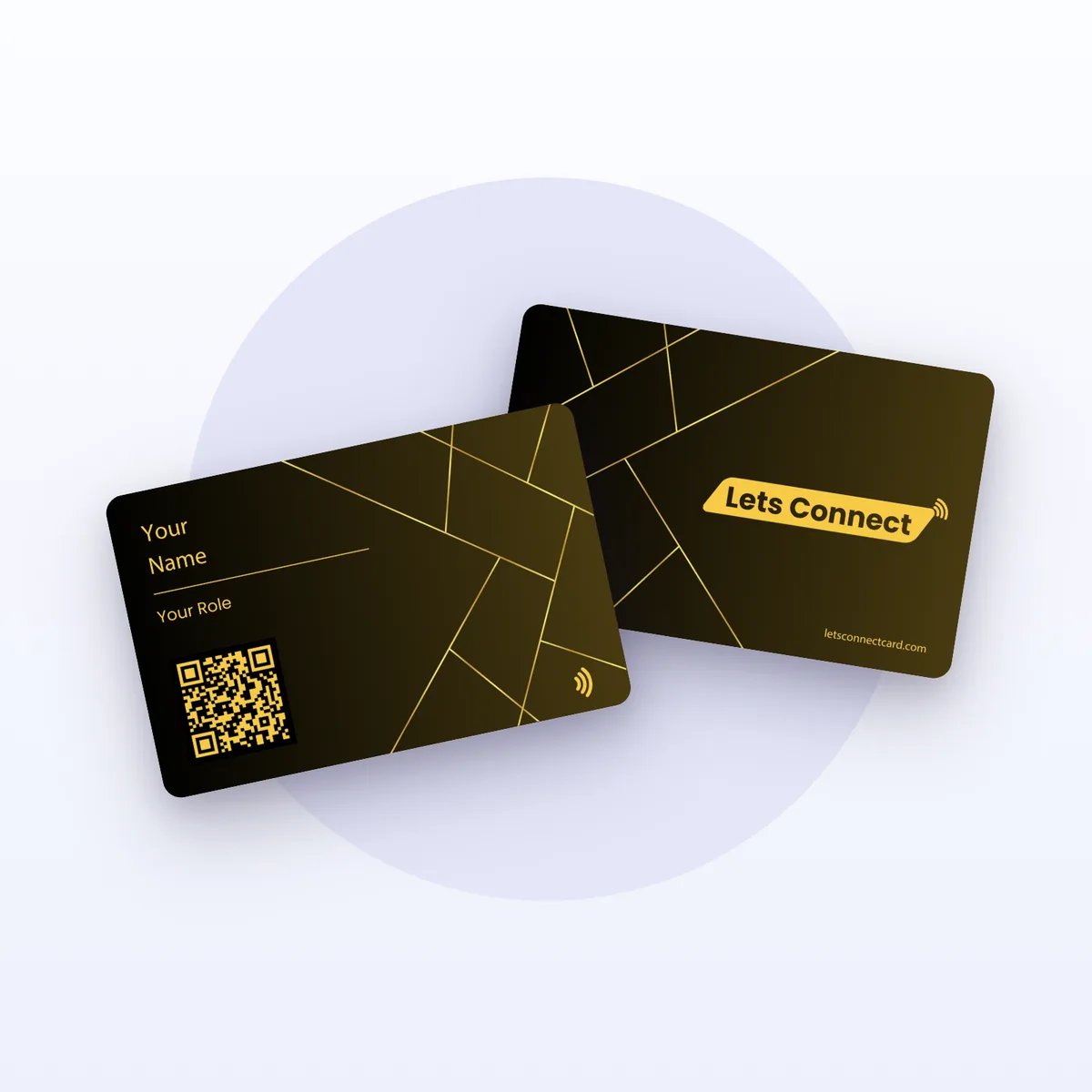
Electronic Business Cards for Paper-Free Networking
An electronic business card is a reusable card with a contactless chip and a printed QR code. Tap it on a phone or scan the code, and your contact details, links and socials open in the browser, ready to save. There is nothing to install and nothing to reprint, and you can edit your details for life.
Build Your CardSee It Work- Tap-to-share chip built in
- Printed QR backup
- Free lifetime edits
- Free delivery
- No app required
- Works on iPhone & Android
- Lifetime edits
- Free delivery
The problem
Why paper business cards let you down
A paper business card is a printed snapshot of your details on the day it was made. It cannot change, it cannot carry links, and it depends on the other person doing the work of saving you.
Out of date fast
A new number, title or address makes the whole box wrong, and the only fix is to reprint.
Typed in by hand
The person you met has to copy your details into their phone themselves, if they get round to it.
No room for links
There is nowhere to put your portfolio, booking page, reviews or social profiles.
Easily lost
Cards end up in pockets and drawers, and you never know who kept yours.
How it works
Tap it. Scan it. Saved.
This is how an electronic business card solves the paper problem: the exchange takes a moment, nobody types a phone number, and the details stay current because they live online.
Tap it or scan it
Hold the card against the back of any phone and the chip fires instantly. Older handset, or a camera pointed at you across a table? The printed QR code does the same job.
Your profile opens
Your smart business card page loads straight in the browser — photo, role, phone, email, socials, portfolio pieces, payment links and a calendar. No install prompt, no friction.
Contact and lead saved
They add you to their phone with one press. With the Business Add-ons plan, a lead form can also send their name and email to your dashboard so you can follow up.
Capability
Everything your paper card can’t do
These are the verified features of the electronic business card. Some come with every card; lead capture, CRM and bookings come with the Business Add-ons plan.
- One card per person, unlimited taps
- Chip needs no battery or charging
- Your data stays exportable
Live edits for life
Changed number, new job title, fresh headshot? Save it in the dashboard and the card already carries it. No reprint run, no box of dead stock in a drawer.
NFC and QR in one card
The chip covers modern handsets; the printed code covers everything else, plus screens, slide decks and email signatures. You never have a phone you cannot share to.
Lead capture and CRM
With the Business Add-ons plan, a short form collects the other half of the exchange — their name, email and a note — and keeps it in a CRM you can follow up from.
Tap analytics
See how often your profile is viewed and which links people open, so you can tell which events and introductions are worth repeating.
Booking links
With Business Add-ons, publish your availability on the profile so a good conversation ends in a booked slot instead of a promise to email later.
Wallet passes
Send a pass to Apple Wallet or Google Wallet so your e-business card travels even on days you forget the physical one at home.
Who uses them
Built for the people who introduce themselves for a living
Sales teams
Field reps tap, the lead form fires, and the contact lands in the CRM before the handshake cools. Managers see which territory is actually working.
Real estate agents
One card carries the listing, the virtual tour, your reviews and a viewing booking link — useful at an open house where nobody wants more paper.
Founders
Positioning shifts fast in year one. Update the pitch deck link and the title on the same afternoon you change them, without ordering anything.
Healthcare practices
Share clinic hours, directions, referral forms and appointment slots hygienically, with no card passed hand to hand between patients.
Events and conferences
Kit a booth out with a handful of cards, run hundreds of taps a day, and export the whole lead list to your follow-up sequence that night.
Freelancers
Portfolio, rate card, testimonials and payment link in one tap-to-share profile, so people at a meetup can see your work straight away.
Side by side
Electronic vs paper vs QR-only business cards
An electronic business card combines a chip and a QR code with an editable profile. Here is how that compares with a printed paper card and a card that carries only a QR code. For the full picture, read electronic vs paper business cards.
| What matters | Electronic business card | Paper card | QR-only card |
|---|---|---|---|
| How it is shared | Tap the card or scan its QR code | Handed over, then typed in by hand | QR scan only |
| App needed | No — opens in the phone browser | No, but there is nothing to open | No — opens in the phone browser |
| Editable after printing | Yes, edit the profile any time | No, reprint the batch | Only if the code points to a page you control |
| Links, portfolio, bookings | All on one profile | No room for them | Depends on the linked page |
| Saving the contact | One press on the profile | Manual typing | Depends on the linked page |
| Works on phones without NFC | Yes, through the printed QR code | Not applicable | Yes |
| Cost of a change | Nothing — the card stays the same | A new print run | A new print run if the code changes |
Four finishes, one chip
Pick the colour you want handed back to you
Same tap-to-share hardware, same lifetime dashboard. Only the finish changes — matte black for boardrooms, colour for teams that want to be remembered.
Compare all electronic business card finishesProfessional Black
NFC chip + QR code
Signal Blue
NFC chip + QR code
Forest Green
NFC chip + QR code
Maroon
NFC chip + QR code
Getting yours
How buying an electronic business card works
Choose a plan and material
Pick the plan that suits you, then PVC, wooden or metal, and a colour.
Check out once
Pay a single one-off price by card. Delivery is free and there is no subscription.
Receive and tap
When the card arrives, tap it on your phone to set up your profile.
Start sharing
Hand it over, let them tap or scan, and edit your details whenever they change.
Questions
Common questions about electronic business cards
Prices, delivery and returns are covered on the electronic business card product page. For more depth, read our guides:
- What is an electronic business card? How it works and how to choose one
- Electronic vs paper business cards: what changes for you
- How to set up and share your electronic business card
Or email info@electronicbusiness-cards.com.
An electronic business card is a reusable physical card with a contactless chip and a printed QR code. Tapping it on a phone, or scanning the code, opens a web profile with your contact details, links and socials. Because the card points to that profile, you can change your details without reprinting anything.
Usually you just say "hold your phone here". On most modern phones a notification appears as soon as the card touches the back of the handset, and one press opens your profile. If nothing happens, they point their camera at the printed QR code instead, which every current smartphone camera can read.
It depends on how often your details change and how many people you meet. An electronic card can be edited, carries links and saves straight to a phone, and one card replaces repeat print runs. A paper card needs no phone at all, so some people keep a few for situations where a phone is not to hand.
It depends on how often your details change and how many people you meet. An electronic card can be edited, carries links and saves straight to a phone, and one card replaces repeat print runs. A paper card needs no phone at all, so some people keep a few for situations where a phone is not to hand."Electronic business card" is the broad term for a card that shares a digital profile. An NFC business card does this with a chip that works on contact; a QR business card does it with a printed code that a camera scans. Our card carries both, so it works whichever method the other phone supports.
"Electronic business card" is the broad term for a card that shares a digital profile. An NFC business card does this with a chip that works on contact; a QR business card does it with a printed code that a camera scans. Our card carries both, so it works whichever method the other phone supports.No. Your profile is an ordinary web page, so it opens in Safari, Chrome or any other phone browser. Reading the chip uses the phone’s built-in NFC support and scanning uses its standard camera. Neither of you installs anything, and the other person does not need an account to view or save your details.
No. Your profile is an ordinary web page, so it opens in Safari, Chrome or any other phone browser. Reading the chip uses the phone’s built-in NFC support and scanning uses its standard camera. Neither of you installs anything, and the other person does not need an account to view or save your details.You do. In your dashboard you choose which details, links and sections are visible and in what order, and you can switch items off at any time. Password protection is available if you want a profile, or part of it, to be seen only by people you give the password to.
You do. In your dashboard you choose which details, links and sections are visible and in what order, and you can switch items off at any time. Password protection is available if you want a profile, or part of it, to be seen only by people you give the password to.Order once. Introduce yourself forever.
Choose a finish, pay once, and start sharing the moment the card lands. Free delivery, unlimited profile edits and a printed QR code as backup on every card.
Build Your CardRead the buying guide